Step-by-step guide
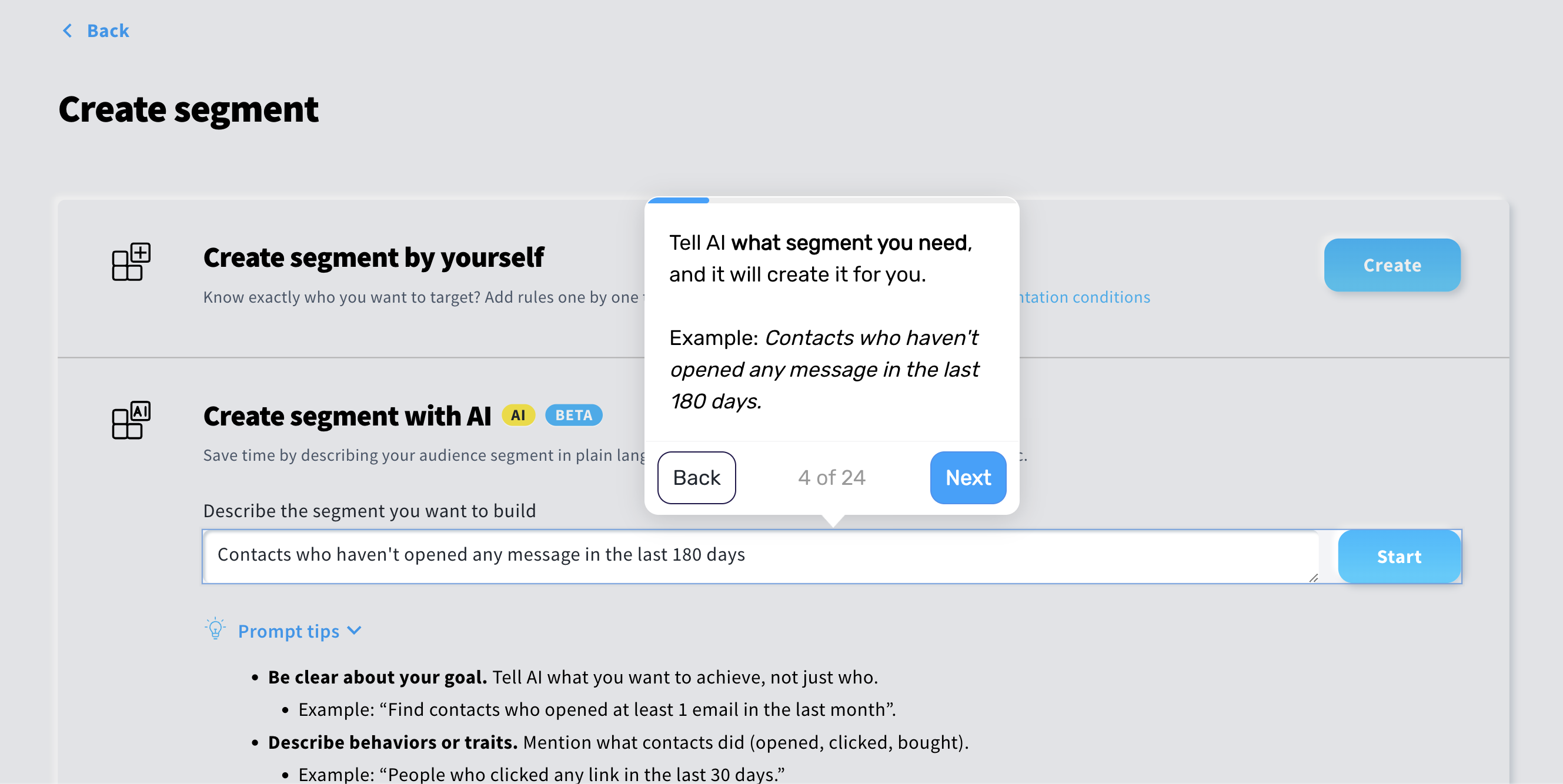
Step 1. Define your inactive customer segment
Start by creating a segment of customers who will be considered inactive.
Examples:
no email opens in the last 180 days
no purchases in the last 180 days
no clicks or website visits over a defined period
This gives you a clear and reusable definition of inactivity that the flow can check against.
Step 2. Define when the flow is triggered
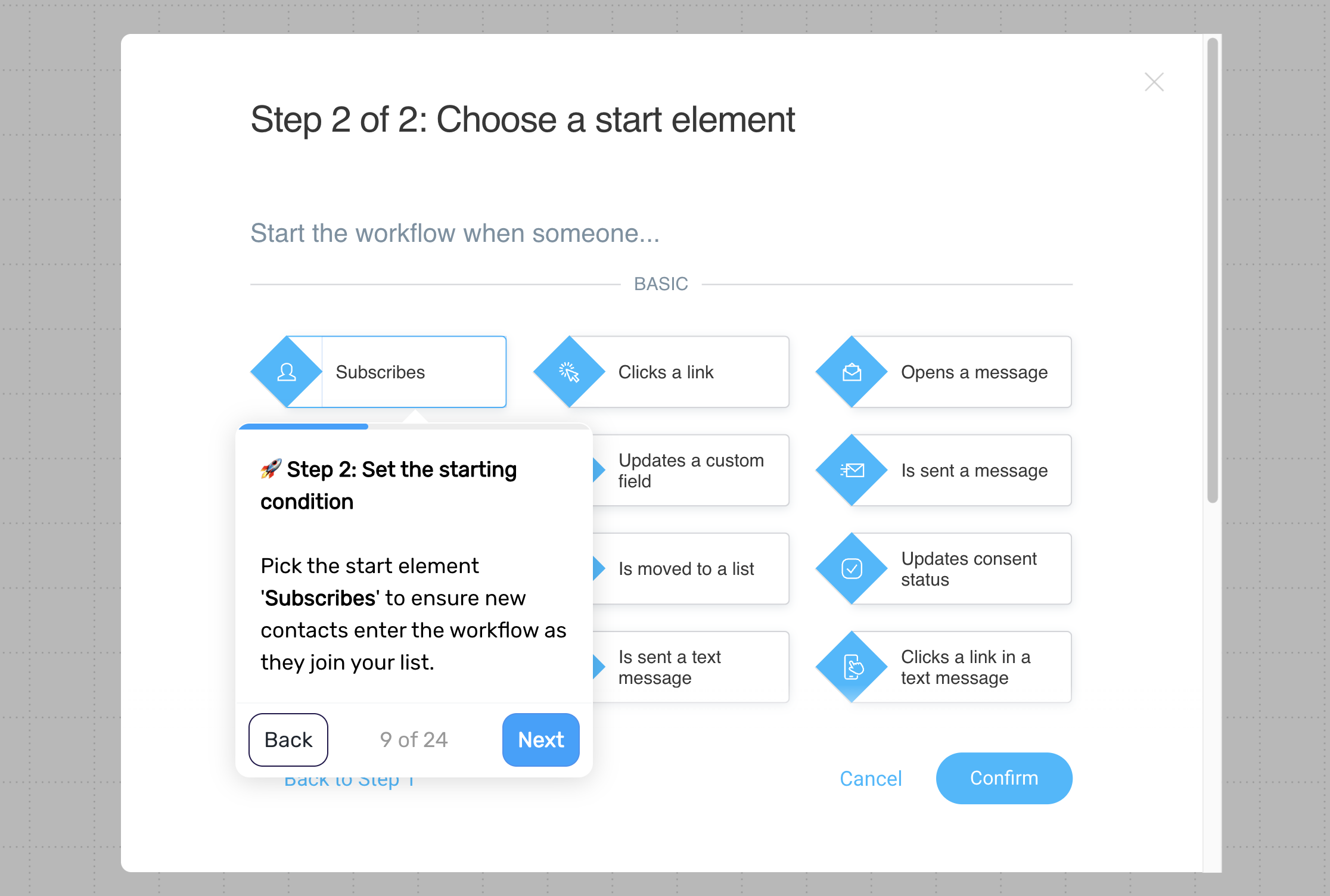
Trigger the flow when a customer joins your list, so their activity can be monitored over time.
You can apply this to all contacts or limit it to specific lists if needed.
Step 3. Add a delay before the first check
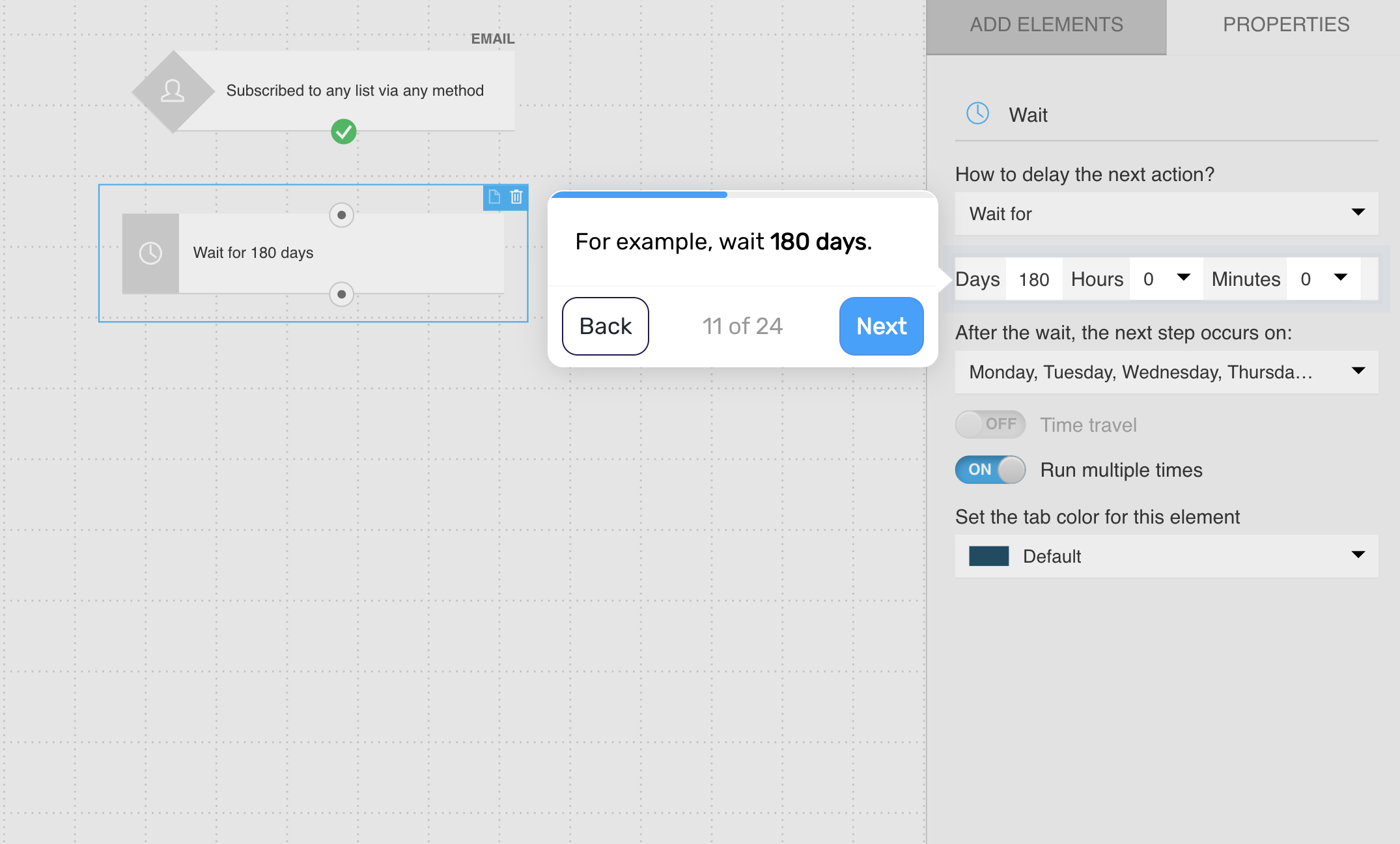
Wait for a defined period, such as 180 days, before checking for inactivity.
This allows normal engagement patterns to develop before identifying customers as inactive.
Step 4. Check whether the customer is inactive
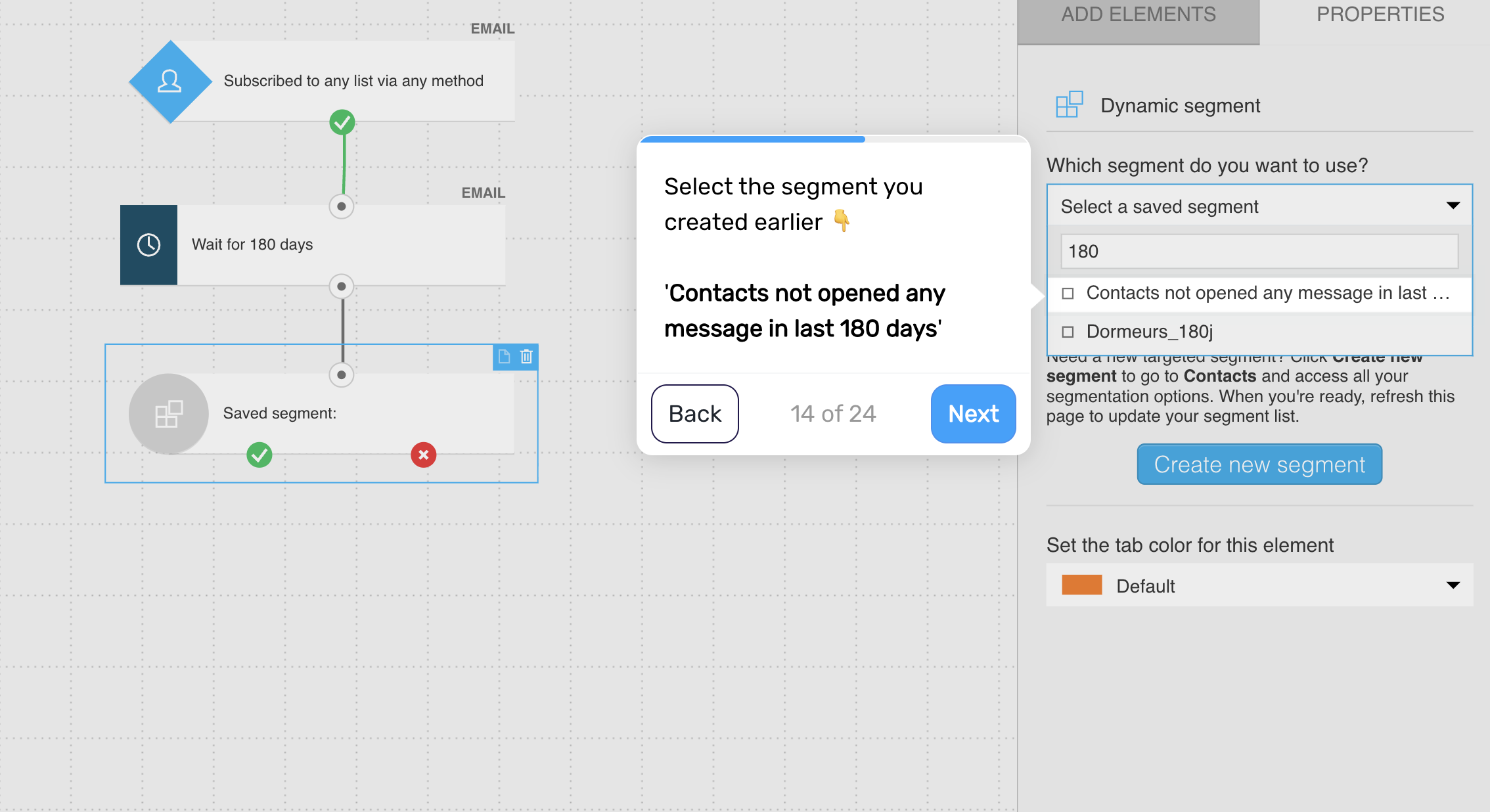
Check whether the customer belongs to your inactive segment.
If yes, continue to the winback message
If not, return them to the waiting period
This creates a recurring system that continuously monitors engagement.
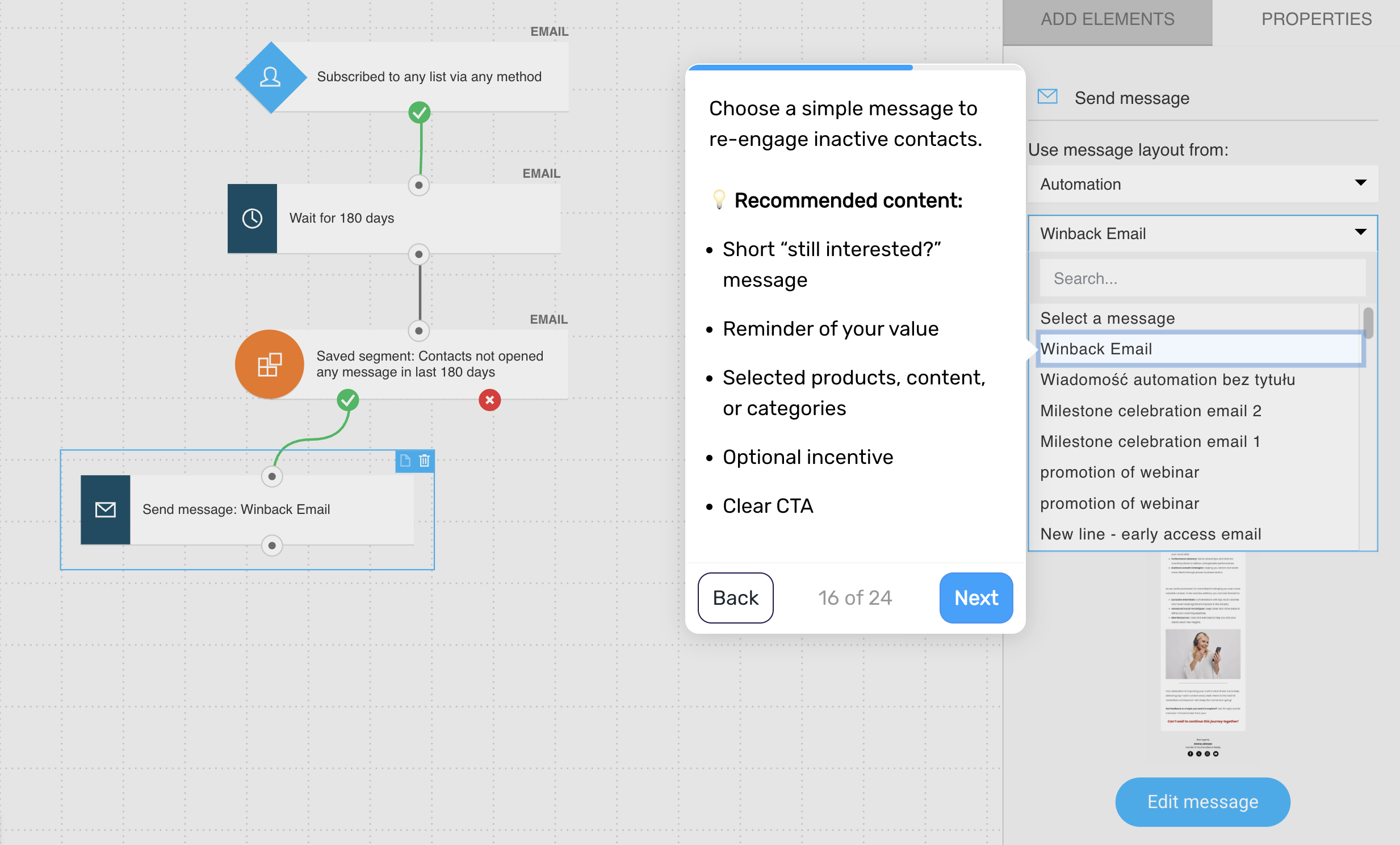
Step 5. Send the winback message
Reach out with a message designed to re-engage the customer.
Include:
a simple “still interested?” message
a reminder of your value
selected products, content, or categories
optionally, an incentive
a clear call to action
Keep the message focused and easy to respond to.
Step 6. Add a delay
Wait around 7 days to give the customer time to engage with the message.
Step 7. Send a follow-up message (optional)
If the customer hasn’t re-engaged, send a second message.
Include:
a shorter reminder
a clear call to action
optional urgency or incentive
Keep this message simple and direct.
Step 8. Return to the monitoring cycle
After the sequence, return the customer to the waiting period so the system can continue monitoring their activity over time.
Pro tip: Tie rewards to future behavior (e.g., “use within 7 days”) rather than the milestone itself to turn emotional engagement into measurable revenue.